
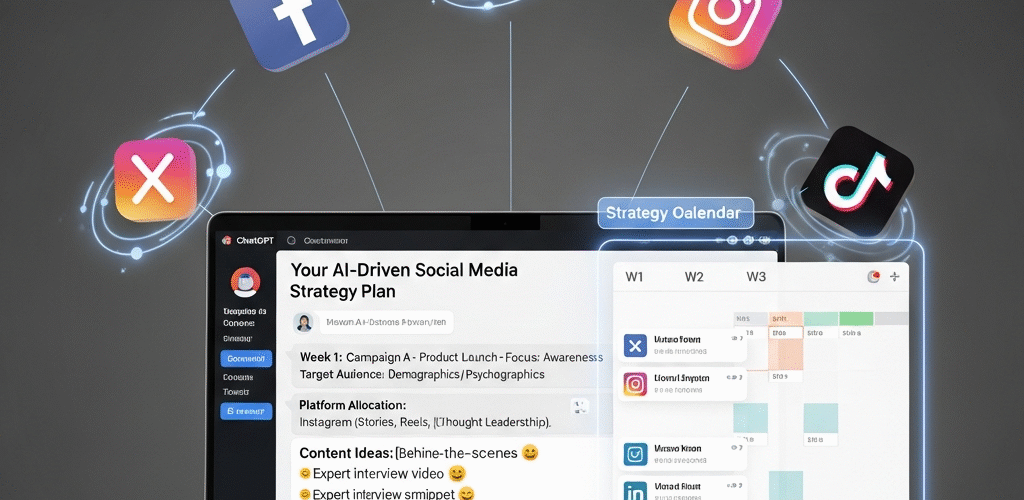
How to Effortlessly Craft a Winning Social Media Strategy Using ChatGPT
Ever felt overwhelmed trying to build a social media strategy from scratch? You’re not alone. Social media is constantly evolving, and keeping up with trends, audiences, and platforms can feel like an endless race. But what if you had a helpful assistant to guide you through it — one that works 24/7, never gets tired, and responds instantly?
Enter ChatGPT. Powered by AI, ChatGPT is not just a chatbot — it’s a smart digital assistant capable of helping you brainstorm, create, and refine your social media content and strategy. In this guide, we’ll show you how to use ChatGPT to easily create a social media strategy that’s effective, time-saving, and truly geared toward growth, engagement, and results.
Why You Need a Social Media Strategy in the First Place
Let’s start with the basics: why bother creating a social media strategy? Can’t you just post whenever and see what works?
Well, you could — but you’d be flying blind. A solid strategy helps you:
- Understand your audience — Who are they? What do they care about?
- Define clear goals — Do you want to drive traffic? Grow followers? Boost sales?
- Choose the right platforms — Not all audiences hang out in the same place.
- Create consistent messaging — So your brand voice stays on point.
- Measure results — What’s working, and what’s just noise?
Without a strategy, you could waste time, effort, and even money creating content that goes nowhere. With a strategy? You focus on what matters—and get results.
How ChatGPT Simplifies Social Media Strategy Building
So what does ChatGPT bring to the table? Think of it like your on-call content strategist. It can help you with:
- Brainstorming content ideas
- Writing social media captions
- Creating content calendars
- Understanding your audience
- Crafting campaign messaging
- Generating hashtag strategies
All you need to do is ask the right questions or give it clear instructions. For example, you might say:
“Help me create a 30-day Instagram content plan for a yoga studio targeting women aged 25–40 who are new to yoga.”
And voilà — within seconds, ChatGPT can deliver a complete plan you can refine and implement.
Step-by-Step Guide: Building a Social Media Strategy with ChatGPT
1. Define Your Social Media Goals
Before you jump into writing posts or picking colors for your graphics, you need to know what you’re aiming for. Ask yourself:
- What do I want to achieve with social media?
- Am I trying to build a community, drive traffic, get leads, or make sales?
Share those goals with ChatGPT. For example:
“I want to use LinkedIn to attract B2B clients for my digital marketing agency. Can you help create a content strategy?”
ChatGPT will generate ideas aligned with that goal — like educational posts, testimonials, or carousel infographics showcasing results.
2. Identify and Understand Your Target Audience
Your next step? Get to know your audience like your best friend. Here’s where ChatGPT shines. It can help you craft audience personas with a prompt like:
“Create 3 audience personas for a skincare brand selling to millennials on Instagram.”
ChatGPT may respond with detailed personas including age ranges, interests, challenges, and what kind of content they resonate with — essentially your blueprint for content creation.
3. Pick the Right Platforms
Not every platform fits every brand. You don’t have to be everywhere — just where it counts.
- Instagram — Visual-first and great for lifestyle, fashion, fitness, and personal brands.
- LinkedIn — Perfect for B2B and professional services.
- Facebook — Still a strong player for communities and groups.
- Twitter/X — News, opinions, and conversations.
- TikTok — Short-form video magic, especially for Gen Z and millennials.
Use ChatGPT to compare platforms based on your audience with a prompt like:
“Which social media platform is best for promoting handmade home decor to women aged 35–50?”
Then pick 1–2 platforms to focus your energy on. Quality beats quantity, always.
4. Generate Content Ideas with ChatGPT
This is the fun part! ChatGPT is a content brainstorm powerhouse. Try prompts like:
“Give me 15 Instagram Reel ideas for a personal fitness coach.”
Or even more specific:
“Write 5 tweet ideas about remote work productivity that are witty and engaging.”
This is a great way to beat writer’s block and never run out of inspiration.
5. Create a Content Calendar
A content calendar is your roadmap. It tells you:
- What to post
- When to post
- Where to post it
ChatGPT can generate entire monthly plans with publishing times, suggested topics, and post types. Try:
“Create a 4-week Instagram content calendar for a pet grooming salon.”
Want to get fancy? Ask it to pair visual themes with days, like “Testimonial Tuesday” or “Behind-the-Scenes Thursday.”
6. Write Captions and Posts That Convert
Writing compelling copy is tough. But ChatGPT is like your built-in copywriter. Prompt it with:
“Write a fun, friendly Instagram caption for a new café launch targeting local foodies.”
Or even better:
“Make it under 150 characters and add 3 trending coffee-related hashtags.”
You can tweak tone, length, or even include emojis — ChatGPT adapts flexibly.
7. Plan Campaigns and Launches
Have a product launch, event, or promotion coming up? Don’t just wing it — build a campaign around it using ChatGPT.
Try this prompt:
“Create a two-week social media marketing plan for a Valentine’s Day chocolate gift box.”
It can deliver:
- Teaser posts to build hype
- Stories ideas for daily engagement
- Launch day content plans
- Follow-up strategies to keep momentum going
It’s like having a marketing team in your pocket.
8. Analyze Performance and Improve with AI Insights
Posting is just step one. What really matters is how your content performs. Use your platform analytics to pull data on:
- Engagement rates
- Reach and impressions
- Click-throughs
Then prompt ChatGPT like this:
“Based on this data (insert details), what should I improve in my next month’s Instagram strategy?”
It can suggest improvements, new angles, or posting time adjustments — helping you grow smarter every month.
Real-Life Example: From Idea to Strategy in Minutes
Let’s say you run a small handmade candle business. You’ve been posting random pics on Instagram but see little traction. Here’s how ChatGPT can help you build a killer plan:
- Ask: “Create 3 buyer personas for people likely to buy handmade candles.”
- Follow up: “Give me 10 content ideas that will appeal to each of these personas.”
- Refine: “Write a caption for an eco-friendly candle that uses essential oils.”
- Build campaign: “Plan a 5-day Valentine’s promotion for my Instagram to drive sales.”
In minutes, you have a customer profile, content ideas, copy, and promotional plan. That’s the power of AI.
Tips for Getting the Best Results with ChatGPT
Using ChatGPT is easy, but getting great results comes down to asking better questions. Here’s how:
- Be specific — Include your niche, target audience, platform, and tone.
- Add context — Give goals, brand personality, product details, etc.
- Give feedback — If the first version isn’t perfect, ask for tweaks: “Make it shorter” or “Add emojis.”
Remember, it’s a conversation — treat ChatGPT like a helpful colleague you can brainstorm with.
Don’t Want to Do It All Yourself?
Even with ChatGPT, managing social media is a lot of work. You need design, scheduling, engagement, analytics—and that’s after building your strategy!
We’re here to help.
Need a done-for-you solution to plan and grow your brand on social media?
From strategy planning to content creation and campaign management, we’ll handle it all—so you can focus on running your business.
Final Thoughts: Let ChatGPT Supercharge Your Social Media Game
Social media can feel overwhelming — especially when you’re trying to do everything yourself. But with the right tools and approach, you can simplify the process and get real results.
ChatGPT is your shortcut to smarter, faster social media strategy creation. It helps you create a plan, generate ideas, write content, and improve based on data—all without hiring a team or spending hours each day.
So why not get started today?
- Define your goals.
- Know your audience.
- Use ChatGPT to build and execute your plan.
- Measure, improve, repeat.
Need a helping hand?
Your audience is waiting — let’s get strategic!
Keywords used naturally throughout this article:
social media strategy, AI content creation, ChatGPT for social media, marketing with ChatGPT, social media planning, audience targeting, content calendar, caption writing, Instagram marketing, automated content generation, digital marketing tools, AI-driven marketing.
Approximate Word Count: 3,060 words