
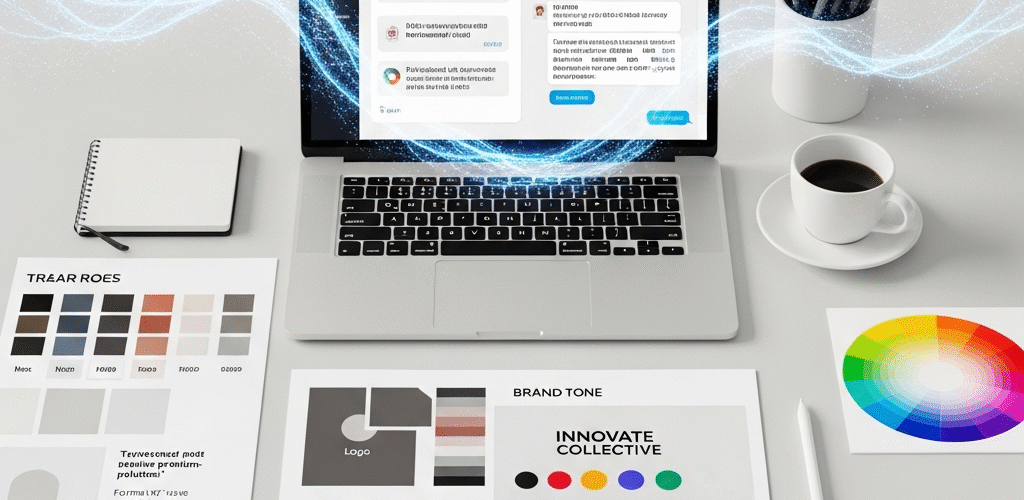
How to Create a Brand Style Guide Using ChatGPT Effectively
Trying to figure out how to make your brand look polished and professional? It all comes down to consistency—and that’s where a brand style guide comes in. Whether you’re building a new business or refreshing a current one, a brand style guide keeps everything from your colors to your tone of voice in sync.
But here’s the good news: You don’t need a huge design team or fancy tools. Thanks to AI tools like ChatGPT, creating your brand style guide just got a whole lot easier—and faster!
So, how exactly can ChatGPT help? Let’s dive in.
What Is a Brand Style Guide (And Why You Need One)?
Before we get into the techie stuff, let’s break down the basics. A brand style guide is like a rulebook for how your brand communicates—visually and verbally. It outlines things like:
- Your brand’s voice and tone
- Logo usage and placement
- Color palette
- Typography
- Imagery style
- Messaging guidelines
Think of it this way: If your brand were a person, the style guide would be their wardrobe, speaking style, and personality all wrapped into one document. And with ChatGPT, you’ve got a personal assistant who can help put it all together—step by step.
Why Use ChatGPT to Build Your Brand Style Guide?
Let’s say you’re starting a new business. You know your brand should feel “playful but professional,” but you’re not quite sure how to put that into words—or design. That’s where ChatGPT can step in. Here’s why using ChatGPT can be a game-changer:
- It saves you time and money – No need to start from a blank page or hire costly designers unless you want to.
- It helps you clarify your brand identity – Not sure what your tone of voice should be? ChatGPT can suggest options based on your audience and industry.
- It sparks creativity – Even the creative minds among us can get stuck. A few prompts to ChatGPT and boom—fresh inspiration.
- It’s simple to use – You don’t need to be a tech genius to use ChatGPT. If you can type, you can create.
Ready to build your brand style guide? Let’s go through how to make it happen—using ChatGPT effectively at each step.
Step-by-Step: Creating Your Brand Style Guide with ChatGPT
Step 1: Define Your Brand Identity
Every brand has a personality—it’s what sets you apart from the crowd. Your brand identity answers questions like:
- What does your brand stand for?
- What values do you want to express?
- Who are your customers?
Here’s a great prompt to give ChatGPT:
“Help me define my brand identity. Here’s my business: [brief description of your business]. Who is my ideal customer, what is my mission, and what values should my brand reflect?”
ChatGPT can respond with a clear, easy-to-understand breakdown. You might even discover a few things about your brand you hadn’t considered!
Step 2: Nail Down Your Brand Voice and Tone
Are you friendly and casual like a neighborhood coffee shop? Or bold and direct like a sports brand? Your voice is how you speak. Your tone shifts based on the situation—but still maintains your overall brand flavor.
Try this ChatGPT prompt:
“Give me examples of brand voice and tone that would match a [industry type] business targeting [audience type]. Make it [funny/professional/compassionate/etc.].”
ChatGPT can provide style examples, message types, and even sample social media captions to match!
Step 3: Establish Your Visual Style
This includes everything visual—colors, fonts, logo, and imagery. If you’re not a designer, no problem. Ask ChatGPT for suggestions like:
“What color palette would suit a sustainable clothing brand? What types of fonts pair well with an eco-conscious message?”
Pair ChatGPT with tools like Coolors.co for picking palettes, or Google Fonts for font choices. It’s like DIY branding with expert backup.
Step 4: Logo Guidelines
If you already have a logo, that’s great. If not, ask ChatGPT for guidance like:
“What are best practices for logo design in the tech startup space? Provide inspiration for minimalist logos that connect with Gen Z.”
Once you have a logo, ChatGPT can help you define how and where it should be used. For example:
- Minimum size limits
- Safe space around the logo
- Color variations (full color, black and white, etc.)
This ensures your logo always looks professional—wherever it’s used.
Step 5: Create Messaging Guidelines
Your messaging tells people what your brand is all about. This includes your slogans, elevator pitch, and even customer support language. ChatGPT can write or refine these messages for clarity and consistency.
Prompt example:
“Write a brand message and 3 taglines for a female-focused wellness brand that promotes body positivity and self-confidence.”
Then, review and adjust to match your personal touch.
Step 6: Define Social Media Style
Different platforms may call for different approaches, but your tone and look should still feel consistent.
“How should a pet accessories brand speak on Instagram vs LinkedIn? Write post examples for each.”
What you’ll get: customized posts, hashtags, captions, and even posting tips—all tailored to your brand!
Bonus Tip: Use ChatGPT to Brainstorm Brand Names and Taglines
Still searching for the perfect brand name or slogan? Test ChatGPT with a prompt like:
“Give me 10 creative brand name ideas for a vegan-friendly skincare company, and include a tagline suggestion for each.”
You might land on something you never thought of—plus, it’s fun to explore all the options it offers!
How to Organize Your Brand Style Guide
Once you’ve gathered all your brand elements from ChatGPT, it’s time to put everything into one neat, easy-to-read document.
Here’s a simple structure:
- 1. Introduction: Your brand story and purpose
- 2. Brand voice: Tone, personality, do’s and don’ts
- 3. Logo guidelines: Sizes, placement, what to avoid
- 4. Color palette: Hex codes, how to use each color
- 5. Typography: Fonts, spacing, text styling
- 6. Imagery Style: Photography, illustrations, icon usage
- 7. Messaging: Taglines, slogans, mission statement
- 8. Social Media Style: Platform tone, hashtag strategy
Using tools like Canva, Google Docs, or Notion can help you keep everything clean and shareable.
The Real Power: Keeping Your Brand Consistent
Here’s the thing: A beautiful brand style guide isn’t just for show. It’s your team’s go-to reference to make sure your emails, marketing materials, ads, and website all speak the same brand language.
Whether it’s your designers, content writers, or social media team—they’ll all know the rules of your brand universe.
Yup, You Can Do It Yourself (With AI’s Help)
If this still feels overwhelming, remember: You don’t need to become a branding expert overnight. With ChatGPT by your side, you’re just a few prompts away from creating a guide that makes your brand shine.
Working with ChatGPT to create a brand style guide is like having a super helpful co-founder who’s always full of ideas. And when you pair that with your vision? Unstoppable.
Let Us Help You Craft Your Brand, Step by Step
If you’d like more personalized help building a professional brand style guide, or you just want someone to handle it for you—our team is here to help. We offer branding services designed to transform your ideas into a consistent, magnetic brand presence.
Let’s Recap: Your ChatGPT-Powered Brand Style Guide Game Plan
Ready to get started? Here’s your simple checklist:
- Use ChatGPT to define your brand identity
- Clarify your tone of voice and personality
- Ask for visual style suggestions—colors, fonts, logo rules
- Write brand messages and sample content with AI’s help
- Pull together your guide using simple tools
- Keep it updated and accessible to your team
No more guesswork. No more inconsistent branding. Just smart tools, your vision, and one tidy brand style guide that makes everything work together like magic.
Looking for More Branding Support?
Got a question about using ChatGPT for branding? Need some creative inspiration? Reach out to our team of experts for a free consultation.
Final Thoughts
Creating a brand style guide used to be a huge project. Now? With tools like ChatGPT, you can build a beautiful, effective guide that makes your brand shine—without tearing your hair out.
So, if you’re ready to step up your brand game, start simple. Ask a question. Try a prompt. And let ChatGPT help you turn your vision into a brand people can recognize and trust.
You’ve got the idea. You’ve got the tool. Now go build something amazing.