
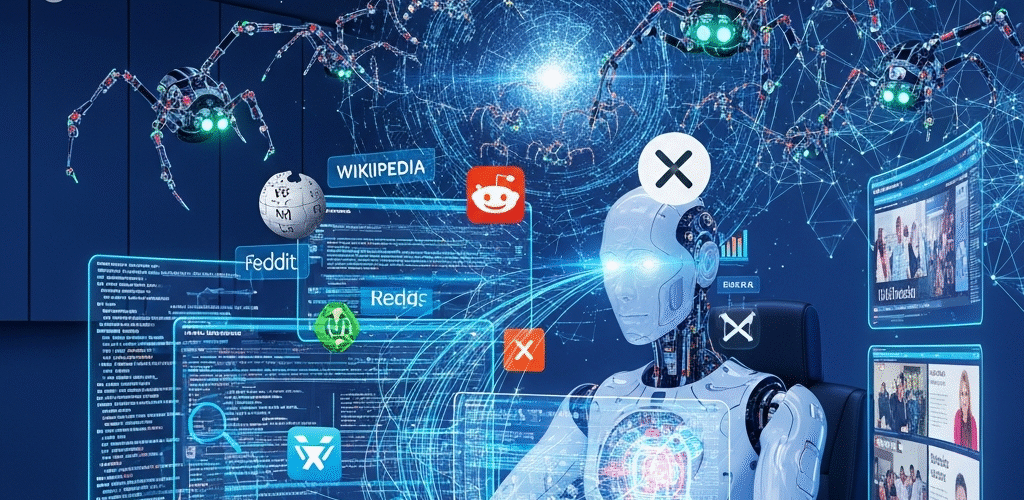
ChatGPT’s New Live Web Crawling Feature: Real-Time AI Just Got Smarter
Imagine asking ChatGPT a question—and it pulls the answer live from the internet, just like a Google search. Does that sound like the future? Well, it’s not. The future is here. And it’s changing everything.
OpenAI’s ChatGPT can now browse the web in real-time, thanks to its new live web crawling capability. Whether you’re doing research, tracking breaking news, or trying to stay updated with current trends, this feature is about to become your new favorite tool.
In this post, we’ll break down what this update means, how it works, and—most importantly—how you can use it to boost your productivity, accuracy, and results.
What is ChatGPT’s Live Web Crawling Feature?
Let’s get straight to the point: OpenAI has introduced a feature that allows ChatGPT to browse the internet in real-time when answering your questions. It’s currently available to ChatGPT Plus and Enterprise users using GPT-4 through ChatGPT’s “Browse with Bing” mode.
Before this update, ChatGPT’s knowledge was limited to what it learned during its training—essentially, a snapshot of information from before April 2023. That meant if you asked it about something that happened recently, you would likely get a vague or outdated answer.
Not anymore. With live crawling, ChatGPT can now:
- Access up-to-date information from trustworthy websites
- Provide real-time stats, news, or updates
- Point to the sources it used, giving you click-through references
Think of it like ChatGPT combined with a smart search engine—but friendlier, faster, and more personalized.
Why This Changes Everything
We’re used to using AI tools like ChatGPT to boost productivity—writing emails, brainstorming ideas, creating content—but there’s always been one limitation.
Timeliness.
Now that it’s able to browse the internet, ChatGPT becomes more than just a supercharged writing assistant. It becomes a real-time digital researcher, pulling newly published blogs, articles, and data on the fly.
Here are just a few ways this changes how you can use ChatGPT:
1. Up-to-the-Minute Research
Writing a report or article about something happening right now? No need to jump from ChatGPT to Google anymore. Ask a question, and ChatGPT will scan current online sources and bring you the freshest info.
2. Price and Product Comparisons
Trying to find the best laptop or flight deals? ChatGPT will crawl relevant eCommerce and travel websites, giving you side-by-side comparisons in seconds.
3. Investment and Stock Insights
Want to check today’s stock performance or crypto trends? It can now pull that data live and synthesize it into easy-to-understand advice (of course, with disclaimers).
4. Breaking News Summarized
Just ask, “What’s the latest on the presidential election?” and ChatGPT will pull top headlines and give you a quick, easy-to-digest overview—complete with sources.
How It Works (Without the Techy Stuff)
Think of ChatGPT as an assistant who used to only have access to an encyclopedia published in 2023. Smart, sure—but not up-to-date. Now, give that assistant access to a laptop and Wi-Fi, and they can jump online and pull fresh information for you.
Here’s a simplified breakdown:
- You ask ChatGPT a question
- It recognizes that it needs fresh info
- It uses Bing to search and pull snippets from reliable sources
- It summarizes the data and gives you clickable source links
That’s it. No plugins. No extra prompts. Just accurate, real-time info when you need it.
Who Can Use This Feature?
Right now, live web browsing is only available for:
- ChatGPT Plus subscribers ($20/month)
- Enterprise users (business-tier access)
If you’re using the free version of ChatGPT, this feature isn’t rolled out to you yet—but that may change in the future as OpenAI expands its offerings.
Want to get started? You just need to enable the “Browse with Bing” feature in your ChatGPT settings under the GPT-4 model.
Why Marketers, Bloggers, and Entrepreneurs Will Love This
If you work online—whether you’re creating content, building a brand, or running a business—this tool is a game-changer.
Marketers
Imagine being able to:
- Pull real-time keyword trends
- Check SERP performance for your niche
- Find new blog topics based on fresh, high-traffic ideas
That kind of power helps you stay ahead of your competition—and your clients will notice.
Bloggers & Writers
No more switching tabs endlessly between Google and your draft. Just say, “Write me a blog about the latest Instagram algorithm update,” and let ChatGPT dig up the research and do the heavy lifting.
Entrepreneurs
Quickly validate your business idea by pulling:
- Market research
- Customer reviews
- Competitor analysis
All within seconds.
How to Start Using Live Web Crawling in ChatGPT
Getting started is as easy as flipping a switch. Here’s how:
- Upgrade to ChatGPT Plus if you haven’t already
- Click your profile icon and go to Settings
- Select “Beta Features” or “Customization”
- Enable “Browse with Bing“
- Open a new chat, switch to GPT-4, and choose “Browse with Bing”
Now, ChatGPT will use live crawling whenever your query needs up-to-date info.
Pro Tip: Ask specific questions to get better results: “What are the best productivity apps released this month?” will work better than “Tell me about productivity.”
Are There Any Limitations?
As powerful as this tool is, it’s still new—and not perfect.
Some limitations to keep in mind include:
- It may not access certain paywalled or private content
- Web browsing may slow down response time slightly
- It still recommends double-checking sources for critical information
Important: Don’t treat ChatGPT as the ultimate authority, especially for legal, financial, medical, or life-changing info. It’s a powerful tool—but not a licensed expert.
How This Affects SEO & Content Creation in 2024
If you’re in the SEO or content creation space, this one’s for you.
Tools like ChatGPT are already revolutionizing how creators write content. Now, with access to live data, it becomes an invaluable writing + research hybrid.
Impact on Writers
You can now:
- Write newsy, up-to-date blog posts
- Skip hours of research time
- Generate outlines based on current industry conversations
- Quickly fact-check competitor claims
Impact on SEO
Use ChatGPT to:
- Research trending keywords on-demand
- Stay updated on Google algorithm shifts
- Merge SEO data + audience insights to build smarter content
This makes it easier for you to publish content that’s timely, relevant, and optimized—the holy trinity for ranking online.
Final Thoughts: AI Just Got an Upgrade
We’re now stepping into an exciting new era, where AI assistants aren’t just intelligent—they’re informed right now. ChatGPT’s live web crawling feature means you can ask dynamic questions and get time-sensitive, accurate information in return.
For creators, business owners, students, and curious minds alike, this isn’t just helpful. It’s transformative.
Whether you’re writing blogs, doing market research, managing social media, or simply staying ahead of the curve, this update has the power to change how you use the internet.
Want to Maximize ChatGPT for Your Business?
At AIPRM, we specialize in helping marketers, businesses, and content creators get the most out of ChatGPT. From custom prompts to prebuilt strategies and SEO tools that integrate directly into your workflow—we’ve got the tools to help you scale effortlessly.
Ready to simplify your work and amplify your output?
FAQs: ChatGPT’s Live Crawling Feature
Q: Is this feature available for free users?
Not yet. You’ll need a ChatGPT Plus or Enterprise account to use live browsing.
Q: Can ChatGPT now see everything on the internet?
No—it still respects security, privacy, and paywalls. But it can access publicly available pages indexed by Bing.
Q: Is the data 100% accurate?
While the info is pulled in real-time, it’s always wise to verify sources for critical topics.
Q: How is this different from Google Search?
Google gives you a list of links. Live crawling lets ChatGPT read those pages, summarize them, and synthesize answers for you.
Q: Will this affect how we do SEO?
Absolutely. With ChatGPT reading and considering real-time content, optimizing for useful, people-first content matters more than ever.
Don’t Fall Behind—Start Exploring ChatGPT’s Full Power
The web changes in real-time. Now, so does ChatGPT. Take advantage of this incredible feature to supercharge your productivity, improve accuracy, and make better decisions—faster.
And when you’re ready to take things a step further, let AIPRM help you unlock even more potential.
🚀 Get Started with AIPRM Today
Your smarter, faster future starts now. 🧠⚡